
Get a new employee ready for day one
Check onboarding tasks across HR, managers and IT, then help owners close the blockers before a new employee starts.
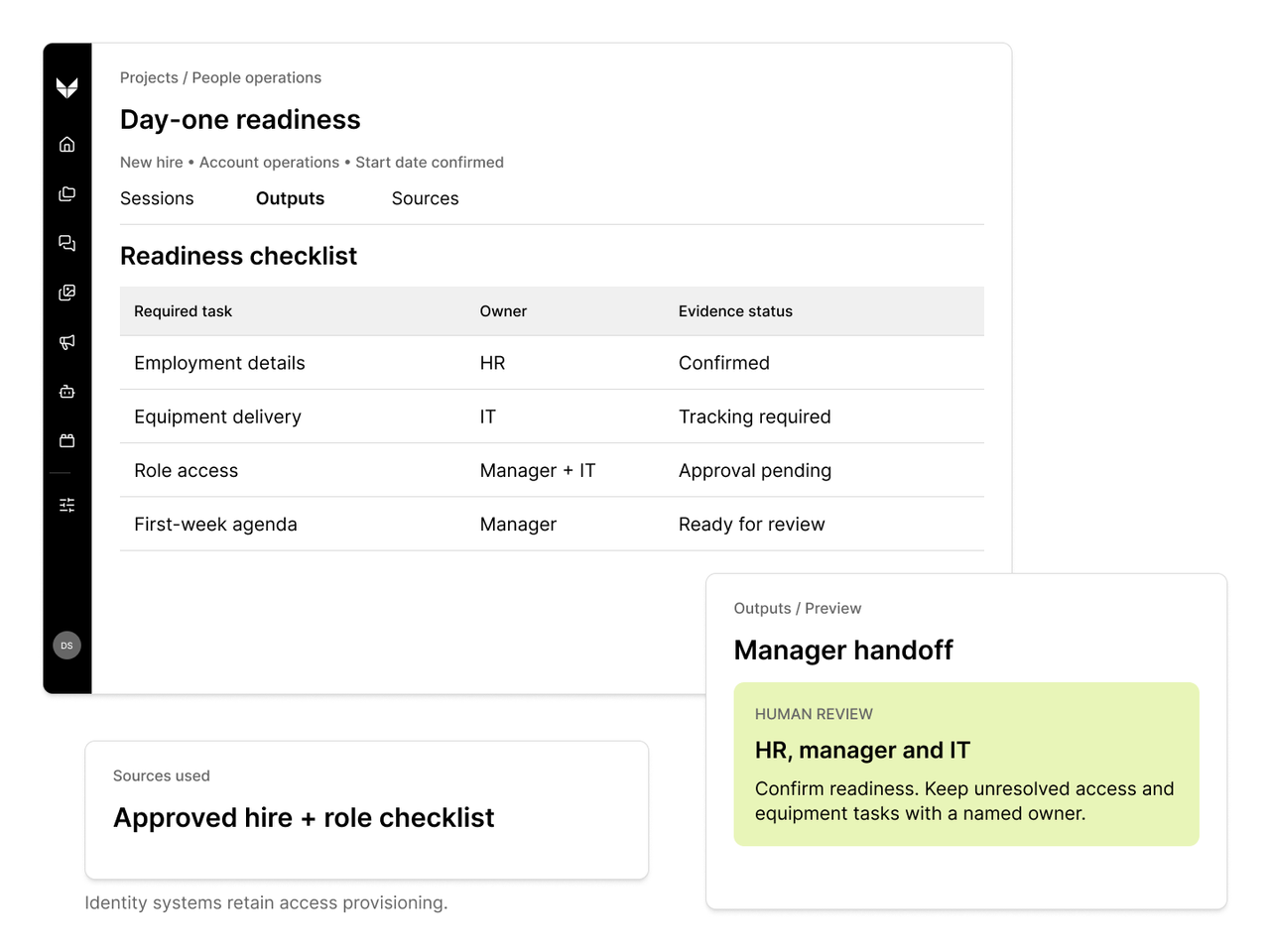
- Starts with
- An approved hire enters the onboarding window, or a required onboarding task remains incomplete near the start date.
- Who decides
- HR confirms employment details; managers and IT authorize access and exceptions through existing processes.
- Output
- Day-one readiness checklist; Owner-specific blocker list; Manager handoff
- Inputs
- Approved hire record — The approved start date, role, work location and manager used to select the employee’s onboarding requirements.
- Role and location checklist — Required onboarding tasks, accountable teams and due dates for the employee’s role and location.
- Task and equipment status — Completion confirmations, equipment requests and related service tickets used to identify what is still outstanding.
- Access request status — The status and approval owner of required access requests. Identity tools retain responsibility for provisioning.
A clear view of day-one readiness
Check onboarding tasks across HR, managers and IT, then help owners close the blockers before a new employee starts.
Configure and validate this starting point around your sources, permissions, and review responsibilities before implementation.
- 01Agent preparation
Read the approved hire
Read the approved start date, role, location and assigned onboarding checklist.
- 02Agent preparation
Check task readiness
Compare HR, equipment and service-ticket status against the required tasks; identify missing owners or inconsistent dates.
- 03Agent preparation
Identify the blockers
Prepare targeted follow-ups and a manager-ready list of blockers, with each item linked to its source.
- 04Human decision
Confirm readiness and exceptions
HR and the manager confirm readiness; IT approves access and equipment exceptions through existing processes. Each unresolved blocker retains an accountable owner.
HR confirms employment details; managers and IT authorize access and exceptions through existing processes.
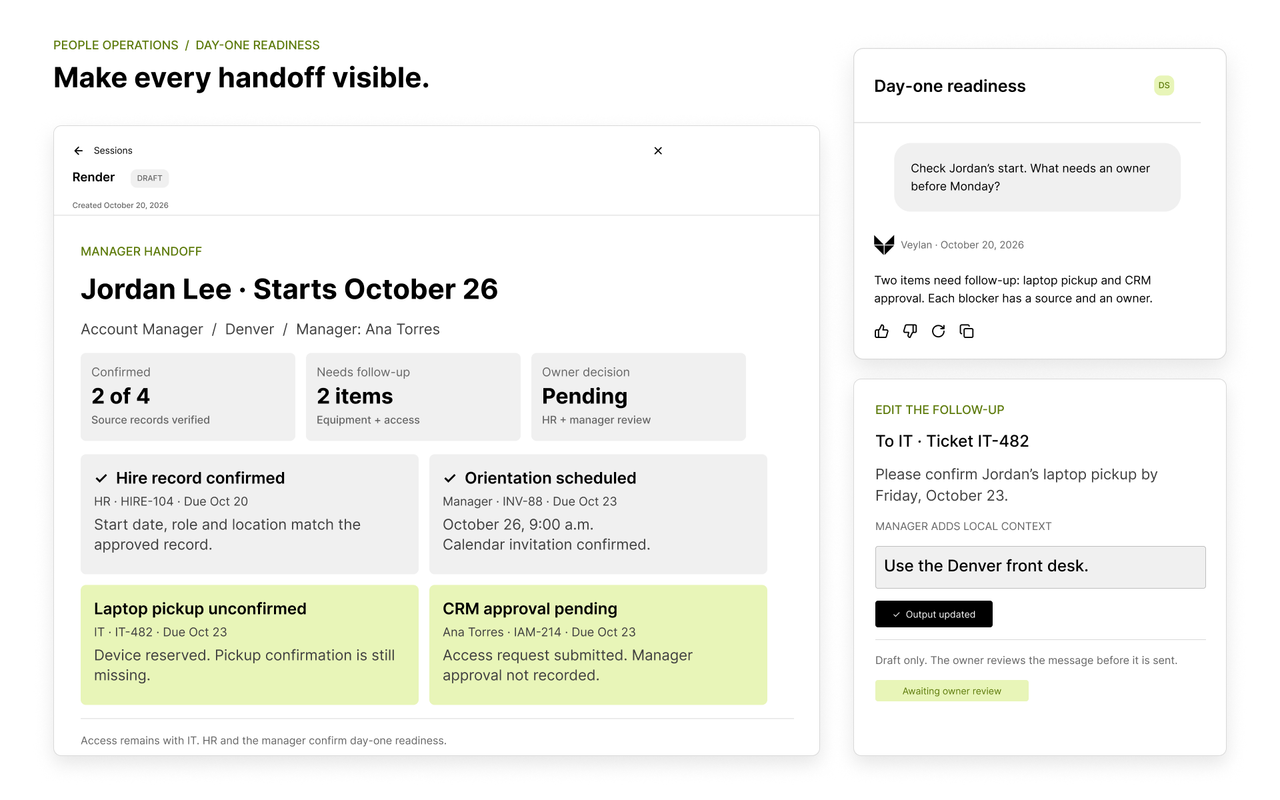
What the team receives
- Day-one readiness checklist
- Required tasks marked with their confirmed status, due date and source record, including items that remain unverified.
- Owner-specific blocker list
- Incomplete tasks, inconsistent dates and missing owners, with targeted follow-up drafts for the responsible teams.
- Manager handoff
- Confirmed completion evidence and unresolved access or equipment exceptions that HR, the manager or IT must decide.
Scope this workflow around your operation.
HR, managers and IT have documented onboarding blockers across systems that native HR/identity automation does not already resolve.